
Services

OMERO Services
OMERO is a powerful open-source platform that serves as a centralized database for viewing, organizing, accessing, and sharing imaging data from anywhere with an internet connection. Through the integrated Bio-Formats plugin, OMERO supports more than 150 image file formats, enabling researchers to manage diverse imaging datasets within a single platform. NFDI4BIOIMAGE offers access to three different OMERO instances – for exploring, for teaching, for developers – and support in how to get your own OMERO instance.
What is OMERO and how can you benefit from it?
OMERO is an open-source platform for centralized management, visualization, and sharing of biological imaging data, developed by the OME Consortium (Open Microscopy Environment). It requires a local installation at each institution, providing a secure and searchable database in which every object has a unique identifier for traceability and reproducibility. With the integrated Bio-Formats library, OMERO supports over 150 microscopy file formats, enabling direct import without format conversion.
With OMERO you can:
- Import and manage imaging data from 150+ file formats via Bio-Formats.
- Visualize multidimensional microscopy data in your browser.
- Organize images, datasets, and screens in a structured, queryable database.
- Annotate metadata with tags, comments, ratings, and key-value pairs.
- Share data and collaborate securely with fine-grained access control.
- Access imaging data remotely across locations and institutions.
- Create publication-ready figures within the platform.
- Connect to image analysis software for image analysis (e.g. Fiji).
To get a quick overview of the platform, watch our video for a basic introduction.
For a demonstration of figure creation, see our short video on preparing publication-ready figures.
If you want to learn more about OMERO please either refer to the training material of I3D:bio or to the documentation by the OME team.
NFDI4BIOIMAGE provides access to several OMERO Instances tailored to different use cases. Explore the available options below to find the OMERO Instance that best fits your needs.
Interested in a basic introduction to OMERO ?
Interested in making figures with OMERO?
Which OMERO Instance is interesting for you?
The TiM OMERO Instance – explore OMERO and browse annotated datasets
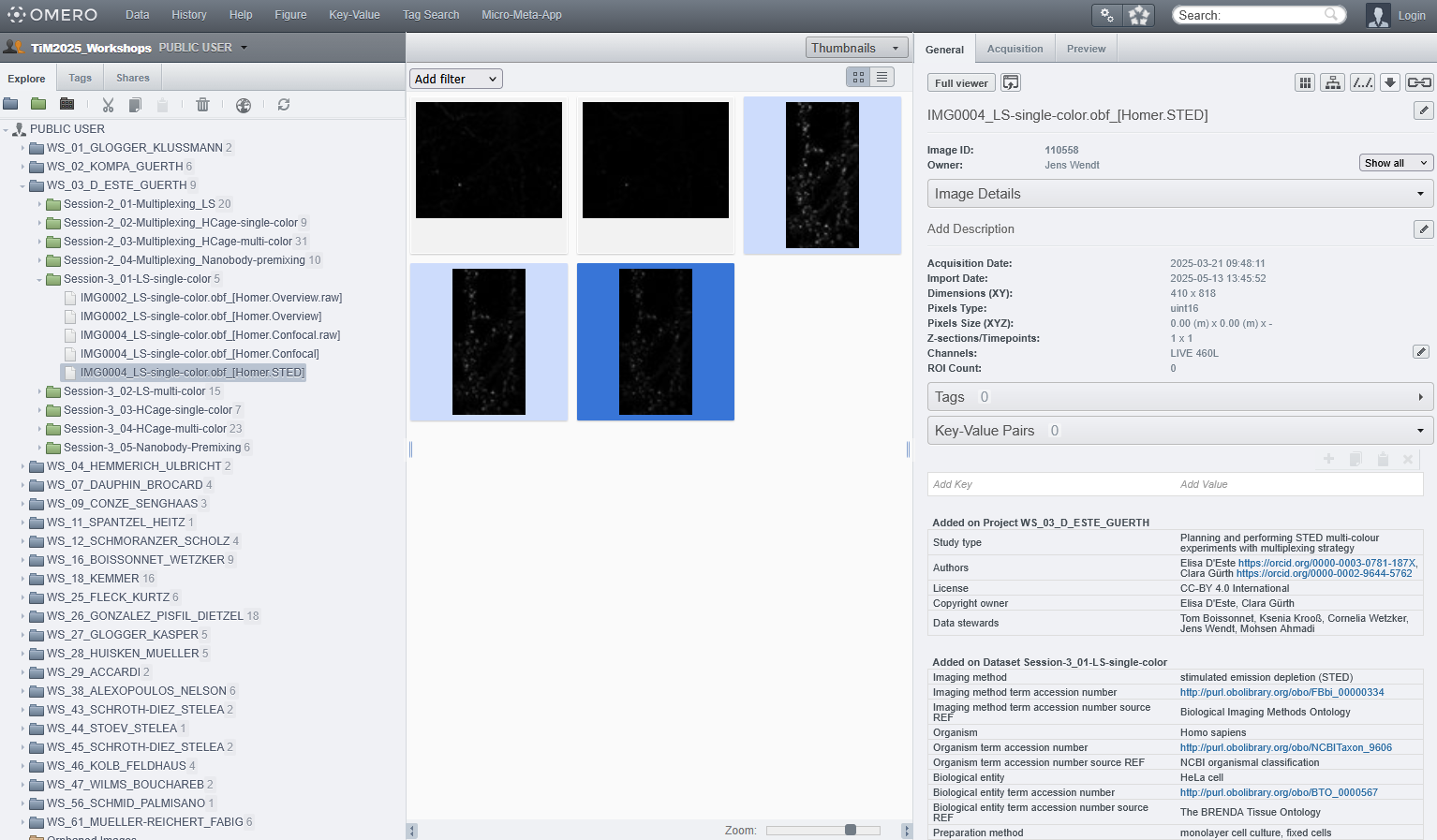
The Trends-in-Microscopy (TiM) OMERO Instance is a comprehensive collection of extensively annotated bioimaging datasets acquired using a wide range of microscopy technologies during the biannual TiM community meetings organized by German BioImaging.
The datasets have been collaboratively collected, annotated, and curated in accordance with the Recommended Metadata for Biological Images (REMBI) standard. The platform provides a practical example of structured bioimage data management and standardized metadata annotation in biological microscopy.
If you are new to OMERO and would like to explore its interface and capabilities, we encourage you to browse the TiM OMERO Instance.
The OMERO Training Instance for trainings and treasure hunting
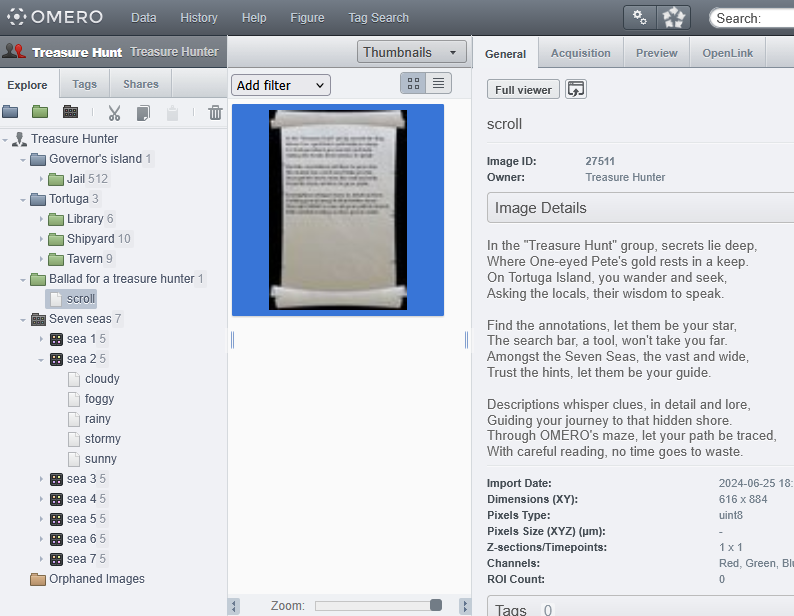
The OMERO Training Instance is intended for researchers, trainers, and community members who require a public, open OMERO instance for workshops, demonstrations, training sessions, or presentations. It provides a ready-to-use environment that supports hands-on learning and the practical exploration of image data management workflows.
NFDI4BIOIMAGE Tip: you can visit this instance and explore the features of OMERO playfully by going on a treasure hunt.
If you want to use the OMERO Training Instance for your courses, please contact our HelpDesk.
The Rich OMERO Playground – an instance to try out OMERO plugins
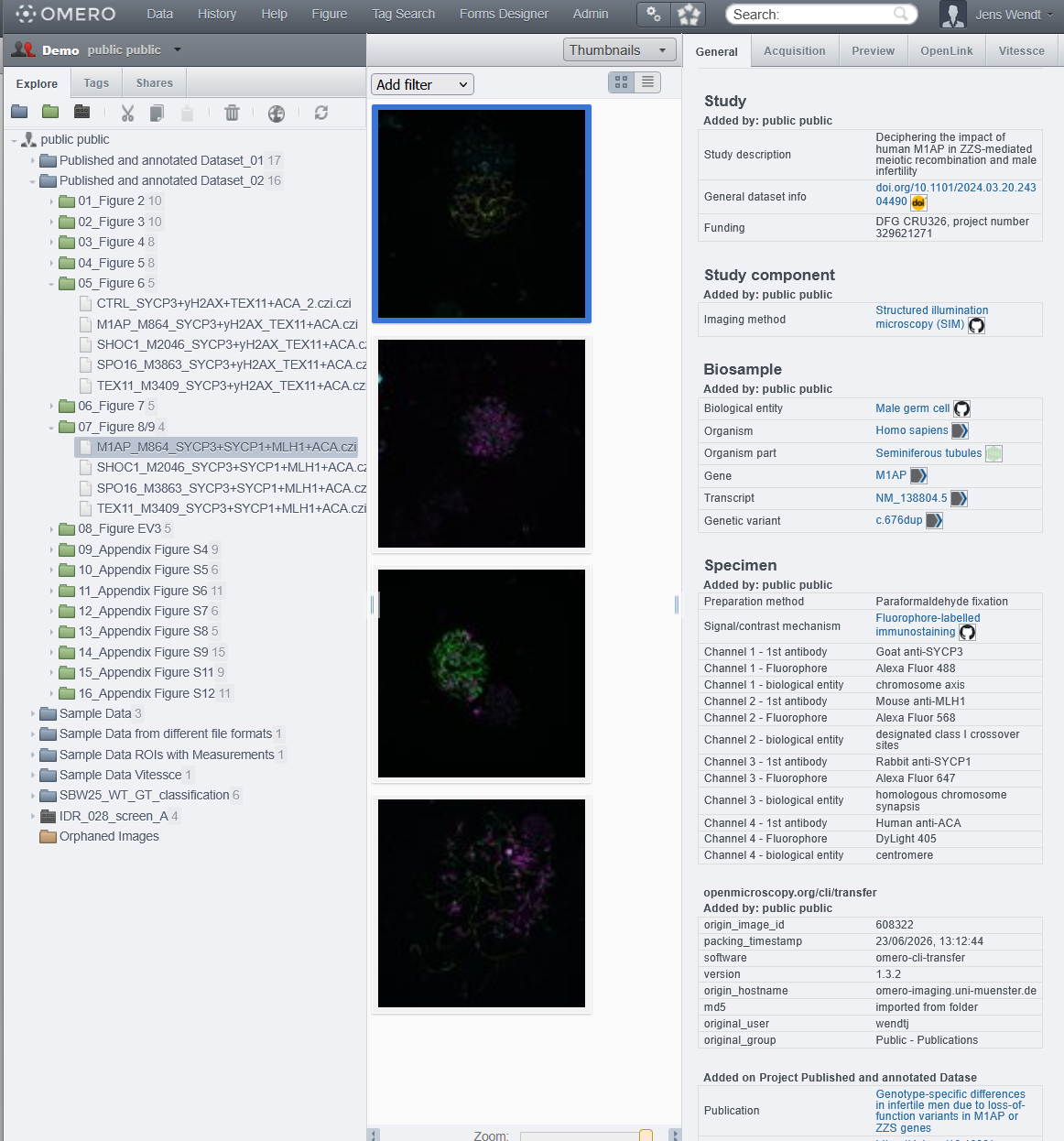
The Rich OMERO Playground Instance is designed for advanced users, developers, and OMERO administrators who want to test plugins and scripts in a standardized, community-run environment. As a non-production instance built by the community for the community, it serves as a safe playground for experimentation and development. Developers can request admin-level access to the OMERO server and SSH access to the underlying system. For a detailed overview of installed and tested plugins, please see the respective git-hub repository. And to get access and get started, please contact us via the HelpDesk.
Need to manage your own data?
If you would like to manage your own image data while benefiting from OMERO’s FAIR image data management capabilities, you will need to set up a local OMERO instance at your institution.
NFDI4BIOIMAGE provides support throughout the entire process – from initial planning and installation to user training and teaching.
Whether you are interested in setting up a local OMERO instance, need technical support for an existing installation, or are looking for assistance with training your OMERO users, we are happy to help. Please contact us via our helpdesk to discuss your needs.